
Every door, every dollar, in one place
Single family, multi-family, condo, townhouse — duplexes and fourplexes included. Each property carries the fields a property actually has, and the same engine underneath: bank sync, categorization, documents, ownership splits and the full performance suite.
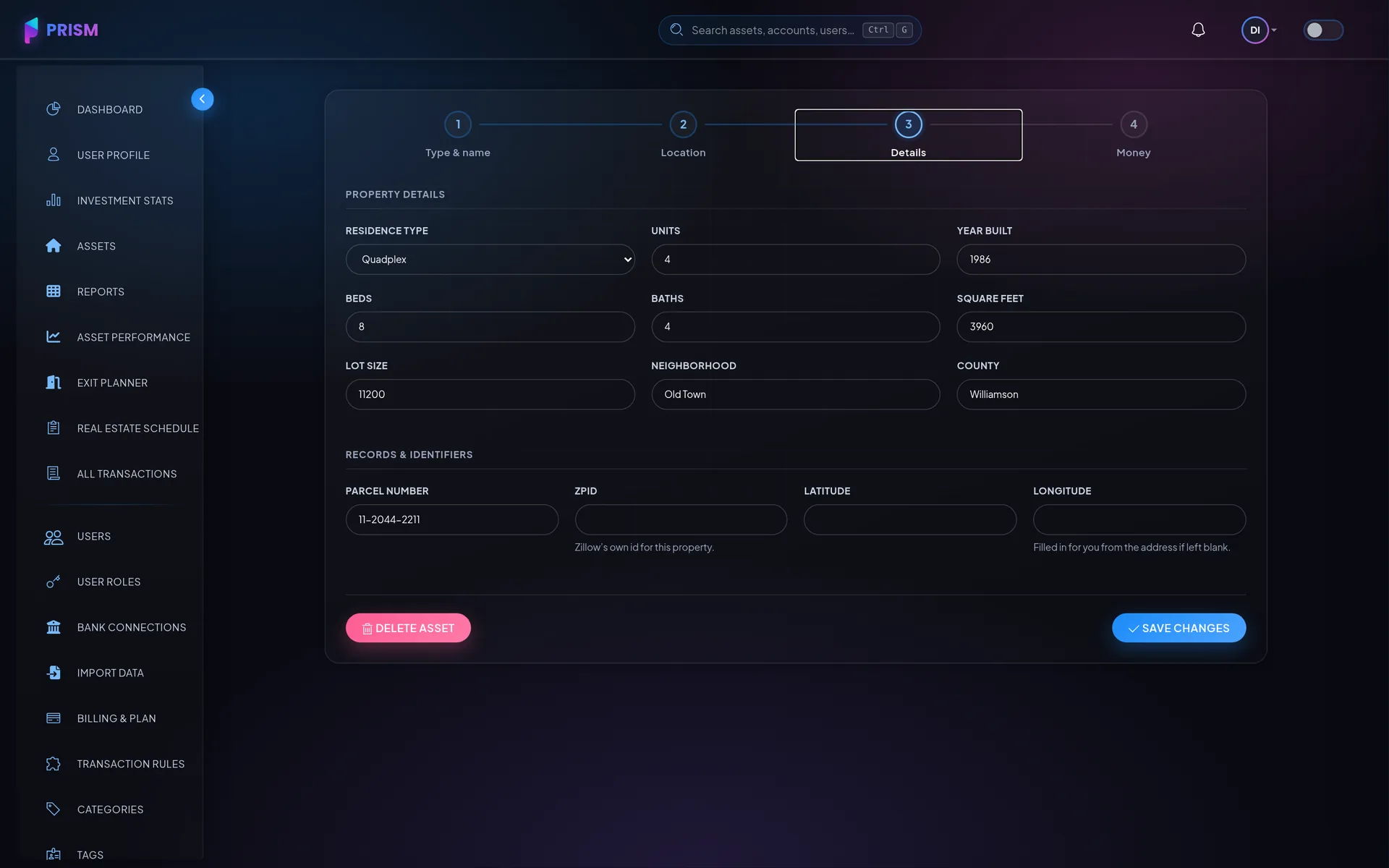
Recorded on the asset, shown wherever it appears
These are the type's own fields — not a description box you type notes into and never search again.
- Residence Type
- Seven kinds, from a single family house to a fourplex.
- Bedrooms
- Bedroom count, per property.
- Bathrooms
- Bathroom count, halves included.
- Square Feet
- Living area, for rent-per-square-foot comparisons.
- Lot Size
- Land, recorded separately from the building.
- Units
- Doors. Unit counts roll up into the portfolio table.
- Year Built
- Age, which drives what you should be reserving for.
- Neighborhood
- How you actually group properties in your head.
- County
- Where the taxes and the filings go.
- Parcel Number
- The assessor's number, for tax bills and appeals.
The numbers that decide anything
Computed from your transactions and your loan terms — there is no metrics screen to keep up to date.
Cap rate
NOI over value — the number a broker will quote at you.
Cash-on-cash
Return on the cash you actually put in, not the purchase price.
DSCR
Whether the rent covers the mortgage, month by month.
LTV
How much of the property the bank still owns.
NOI
Operating income after expenses, before financing.
ROI
The whole picture: cash flow, principal paydown and appreciation.
Categories that already know this asset class
A new account is seeded from the pack that matches what you told us you invest in — out of a library of more than 240. Rename, recolour, add and delete freely; the seed is a starting point, not a schema.
The rest of the portfolio
You can hold all three side by side. That is the point.
Add your first residential property
Link the account it pays from and the history comes back with it.