
Everything an investor actually needs
The books, the loans, the metrics and the reports, for residential property, commercial real estate and businesses in one portfolio. Four of these have pages of their own; the rest are covered on the tour.
Loan events
Refinances, extra principal payments, recasts and rate modifications, on a timeline that keeps the schedule honest.
Read moreAutomatic bank sync
Connect through Plaid; transactions arrive routed to the right asset, with history.
Read morePerformance analytics
DSCR, cap rate, LTV, NOI, ROI and cash-on-cash, per asset and rolled up.
Read moreExit planner
Sale price to net cash: selling costs, payoff and an estimated tax bill, per asset and for the portfolio. Enterprise.
Read moreImport & migration
Guided CSV import from Stessa, QuickBooks, REI Hub, Baselane or any bank — with mapping, duplicate detection and undo.
Read moreEvery category, both directions
The same ledger for money going out and money coming in — each group with its subcategories, the change from last month, a trend and a year-to-date total.
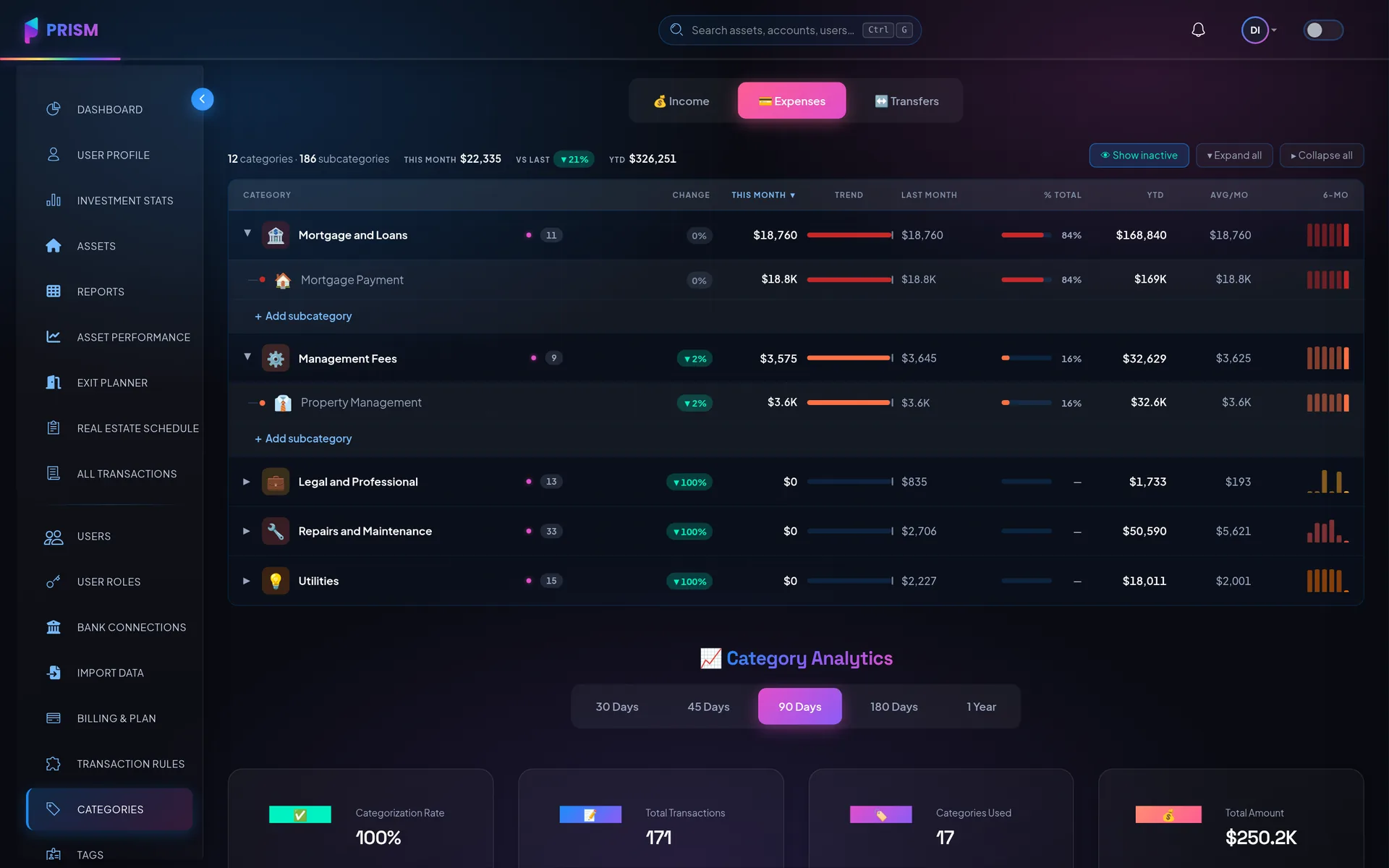
Expenses — what moved, what it cost, and its share of the month.
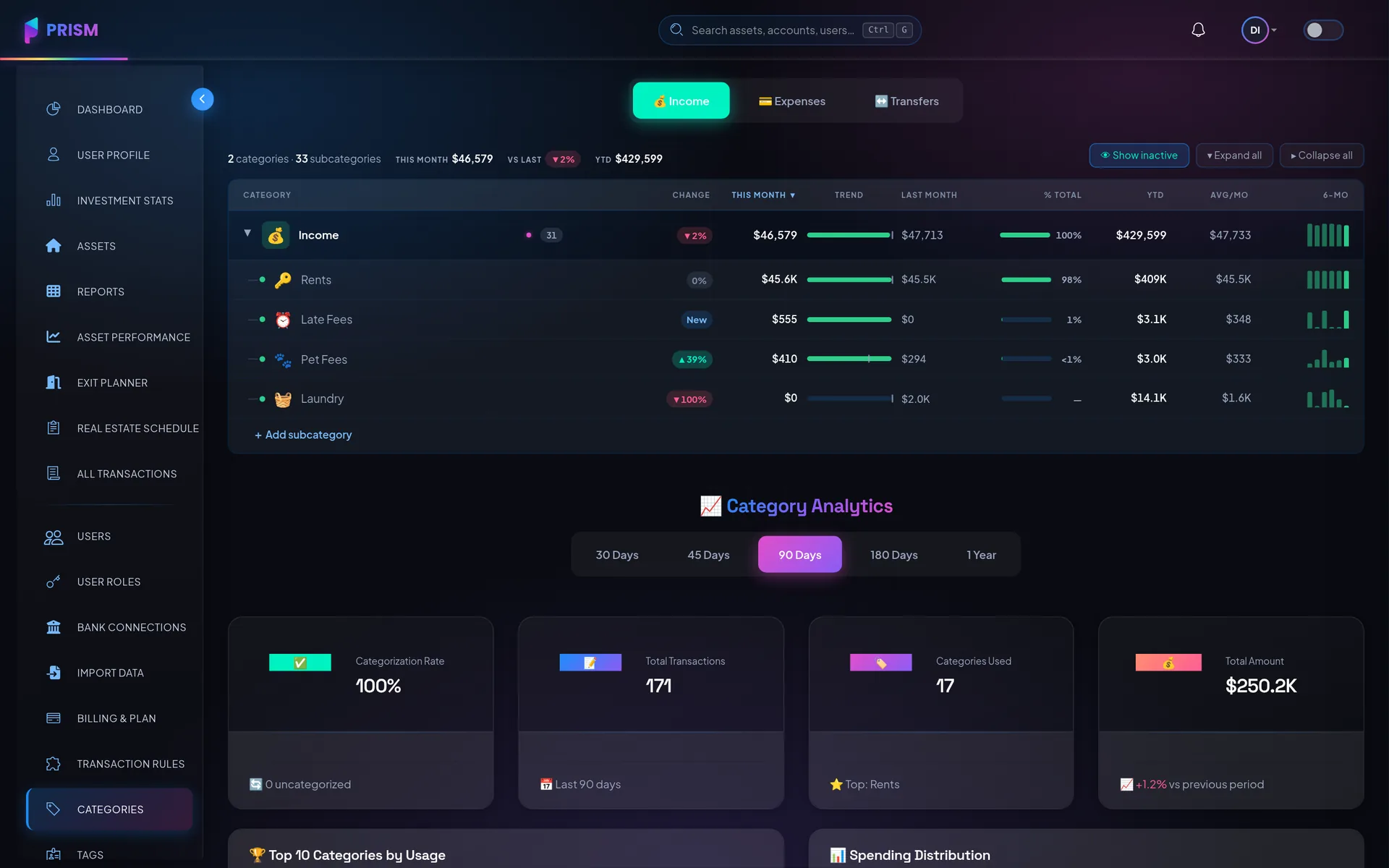
Income — the same ledger for every dollar coming in.
One platform, the whole workflow
Everything here is on Pro and up; investor reports are Enterprise.
Smart auto-categorization
Learned patterns with confidence scoring, plus custom rules for the edge cases only you know.
Transaction splits
One charge allocated across as many categories as it needs — reports read the allocations, not the parent.
Ownership tracking
Who owns what, down to the percentage, with an immutable audit trail of every change.
Investor reports
A year-to-date cash-flow PDF per asset, emailed to its partners — the whole asset, not each share.
Real-estate schedule
Every property laid out the way a Schedule E expects to see it.
Documents and receipts
Attached to a transaction and filed under its asset by date and category, still there at tax time.
Roles and permissions
A bookkeeper who sees two buildings, a partner who sees their own, an accountant who sees the reports.
See it running on a real portfolio
The product tour is stills of the actual app, not a video someone narrates.