
Bring your history with you
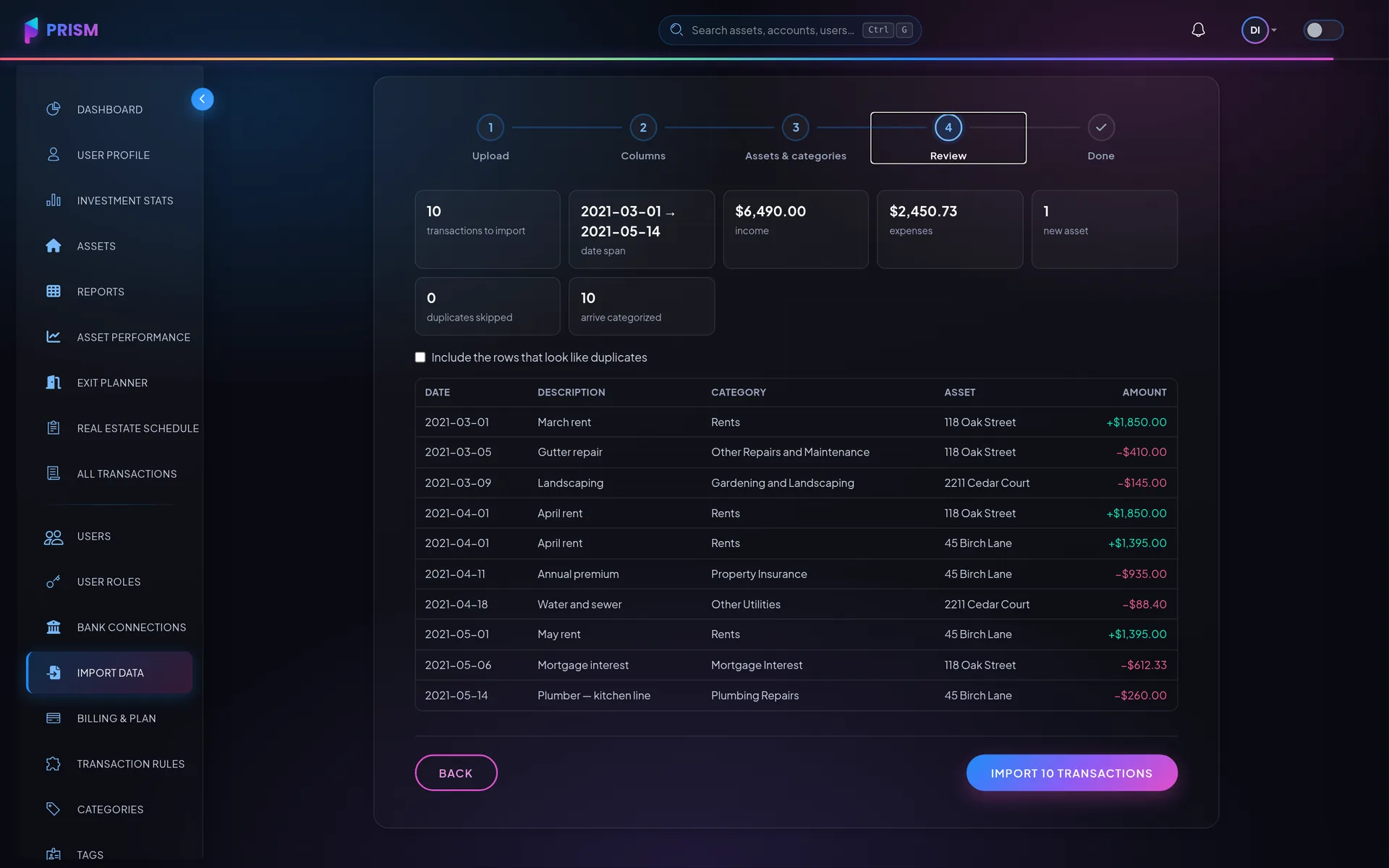
Export from the tool you are leaving and the import wizard does the rest: Stessa, QuickBooks, REI Hub and Baselane files are recognized from their own columns (any other CSV maps in a step), categories are matched onto yours, assets are created as they are found, and duplicates are flagged before anything is written. No bank connection required, on every plan — and one click undoes an import.
The majors, recognized
Stessa, QuickBooks, REI Hub and Baselane exports are recognized from their own columns; any other CSV maps in one extra step.
History past the backfill
Banks only send back so much — often a year, sometimes ninety days. Import the older statements and the books reach as far back as your records do.
Your categories, kept
Source categories map onto yours — suggested automatically, confirmed by you — and likely duplicates are flagged before the import runs.
Undo, always
Every import is a batch with its own undo, so you can try Prism on your real data before connecting a bank or paying for anything.
How it works
Upload the export
Drop the CSV in; the source and its columns are recognized on sight.
Confirm the mapping
Properties match to assets — new ones are created on the spot — and categories map onto your own. You confirm, rather than fill in a form.
Review and import
Row count, date span, totals and duplicates, stated before anything is written. One click imports; one click undoes.
My bank only synced a few months of history. Can I get the rest in?
How do I move my books over from another tool?
Is there really a free plan?
More of them on the full FAQ.
Next to this
Put it to work on your own numbers
Add one asset, link one account, and see what a month looks like.