
A loan is a history, not four numbers
Most tools store a mortgage as an amount, a rate, a term and a start date. Refinance, and you either overwrite it — losing every year of interest you actually paid — or you create a second asset and break the history in half. Neither is what happened.
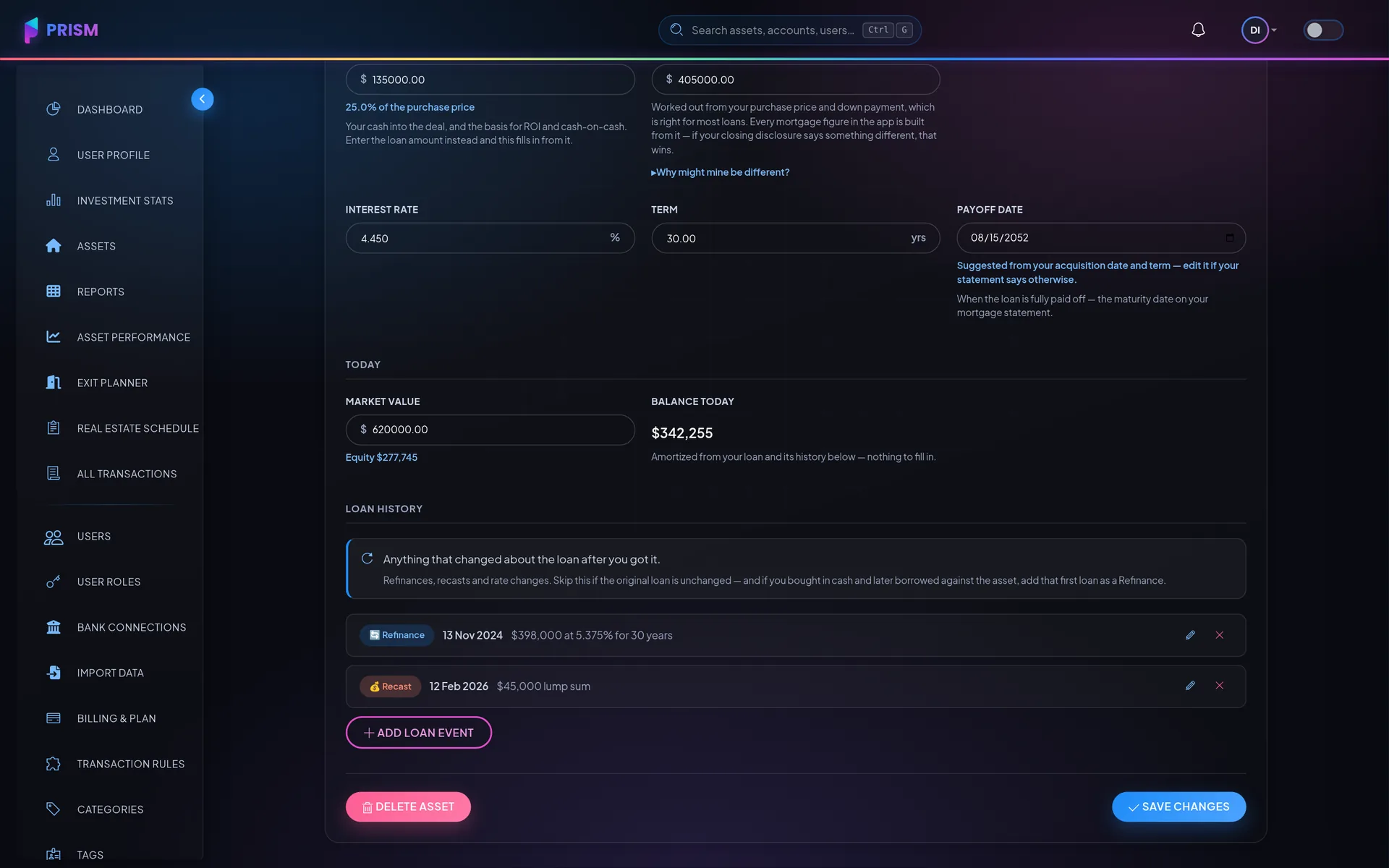
Refinance
A new balance, rate and term from a given date. Everything before it keeps the old schedule; everything after runs on the new one.
Extra principal payment
Money straight at the balance with nothing renegotiated. The payment and the rate stay exactly where they were, so the loan simply finishes early — and the schedule says how early.
Recast
A lump sum your lender then re-amortizes, which lowers the payment and leaves the maturity date alone. The mirror image of the one above, and the app keeps them apart because the balances differ from that day on.
Rate modification
A rate change on the same loan — an ARM adjusting, or a lender agreeing to something different.
A running balance
Today's balance is amortized from the original loan and every event since. It is not a number you keep up to date by hand.
How it works
Record the event
Date, balance, rate, term and a note, on the asset's loan history.
The schedule reforecasts
From that date forward, on the new terms. The years before it are untouched.
The metrics follow
DSCR, LTV and interest-rate risk all read the reforecast schedule, so they describe the loan you have now.
What happens when I refinance?
Which performance metrics do you calculate?
More of them on the full FAQ.
Next to this
Put it to work on your own numbers
Add one asset, link one account, and see what a month looks like.